
Download DATApark – check-in, check-out, access control, security monitoring, timestamp logging, photo log, real-time surveillance, building access, vehicle tracking, entry tracking, security app, access logs, time tracking, security tool, security system
Overview
DATApark is a specialized mobile application designed to streamline access control and security monitoring within buildings or parking facilities. Its primary purpose is to provide a reliable system for tracking when individuals or vehicles enter or exit a secured location. By capturing snapshots at each access point and logging the exact date and time, DATApark ensures that every movement is recorded with precision. This functionality is particularly valuable for organizations that require strict oversight of personnel or asset movement, such as corporate offices, industrial sites, or private parking lots.
The app addresses common challenges in physical security, including unauthorized access, late arrivals, and lack of verifiable records. With its ability to generate a detailed log of all entries and exits—complete with visual evidence—DATApark enhances accountability and operational transparency. It serves as a digital audit trail that can be reviewed at any time, making it useful for compliance, incident investigation, or performance tracking. The target users include facility managers, security personnel, property owners, and administrators responsible for maintaining order and safety in controlled environments.
Although the developer did not provide additional technical details about the app’s background or history, DATApark has been available since 2016, indicating a long-standing presence in the productivity and security app space. Its continued availability suggests reliability and ongoing maintenance. In the broader app ecosystem, DATApark fills a niche role as a lightweight yet effective tool for physical access management, especially for users who need a simple, visual, and timestamped record without the complexity of full-scale security systems.
Key Features & Functionality
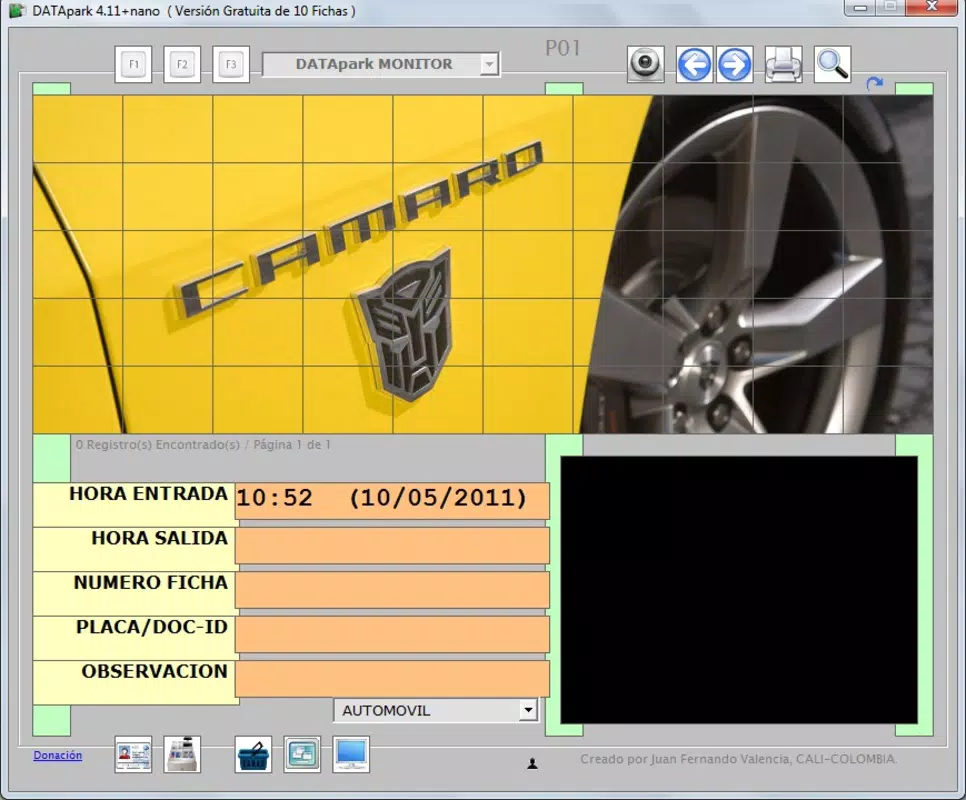
- Real-Time Monitoring: The app continuously tracks check-ins and check-outs by capturing images each time someone or a vehicle accesses the premises. This allows for immediate visibility into who is present and when, supporting proactive security responses.
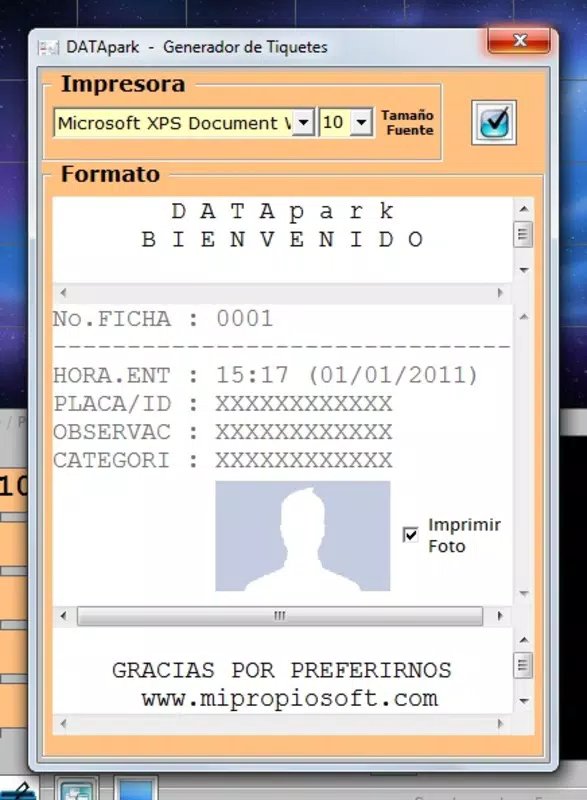
- Timestamp Logging: Every access event is tagged with a precise date and time stamp, ensuring accurate records for scheduling, attendance, or incident review. This feature supports time-based analysis and compliance tracking.
- Access Logs with Photo Evidence: DATApark compiles a centralized log of all entries and exits, including associated photographs. Users can browse past activity and verify identities visually, which is critical for security audits or dispute resolution.
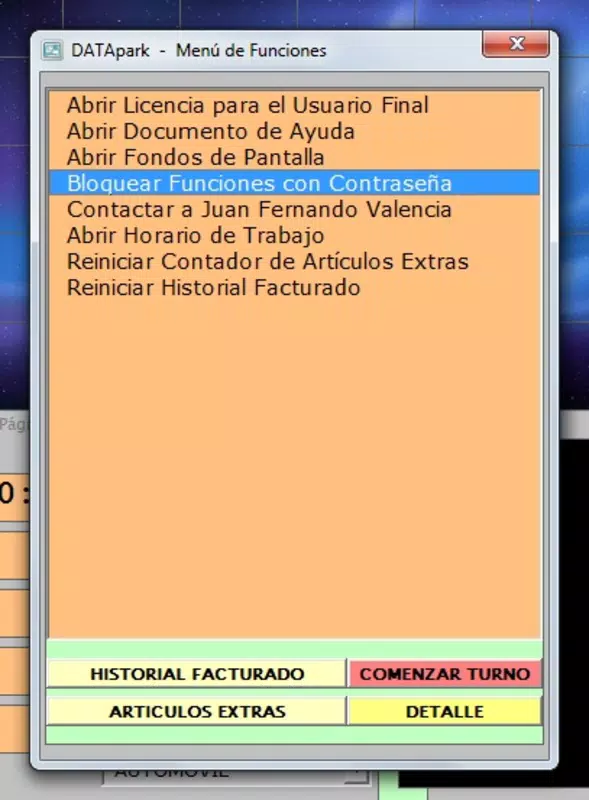
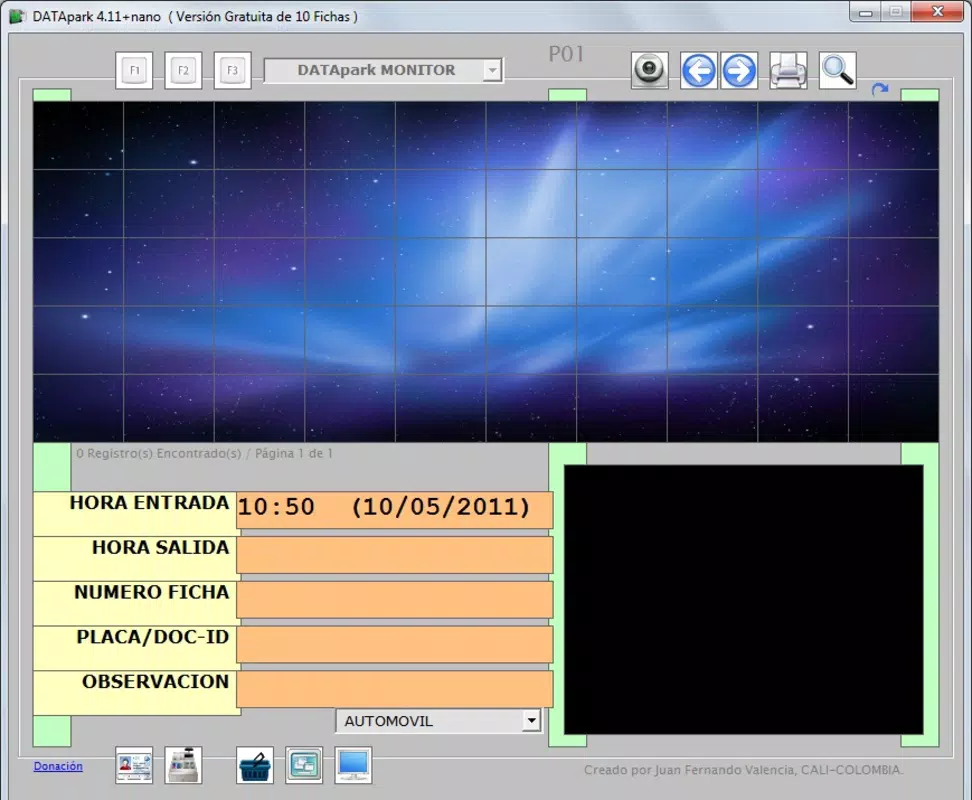
- User-Friendly Interface: Designed with simplicity in mind, the app offers an intuitive layout that enables quick navigation between logs, images, and settings. This makes it accessible to users with varying levels of technical experience.
- Enhanced Security Functionality: By combining visual documentation with timestamped data, the app strengthens physical security protocols. It helps deter unauthorized access and provides evidence in case of breaches or disputes.
For example, a facility manager can use DATApark to verify that employees arrive on time, while a parking lot operator can track vehicle entries and exits for billing or security purposes. In case of a suspicious incident, the photo logs can be reviewed to identify individuals involved. The app’s straightforward functionality makes it a practical tool for real-world scenarios where visual verification and time accuracy are essential.
Interface, UX & Performance
DATApark features a clean, minimalist interface focused on core functionality. The layout prioritizes accessibility, with key actions such as viewing logs, reviewing photos, and managing settings clearly labeled and easy to locate. Navigation is linear and consistent, reducing the learning curve for new users. The app appears optimized for mobile screens, with responsive elements that adapt to different display sizes.
Although the developer did not list formal performance metrics, the app’s 15.3 MB file size suggests it is lightweight and likely to run efficiently on a wide range of Android devices. Users can expect minimal lag during image capture and log retrieval, especially on mid-to-high-end smartphones. Stability appears to be a strength, given the app’s long-standing presence since 2016. However, no specific information was provided regarding battery usage, background performance, or compatibility with older Android versions.
Responsiveness is maintained through simple touch interactions, with quick load times for logs and image previews. The app does not appear to rely on constant internet connectivity for basic functions, which enhances usability in offline or low-connectivity environments. Overall, the user experience is streamlined and focused on reliability, making it suitable for daily operational use in professional settings.
Platform Compatibility & Technical Requirements
DATApark is available exclusively on the Android platform. The current version is 1.1.5, with a file size of 15.3 MB. The app is free to download and install, making it accessible to a broad audience without financial barriers.
The developer did not specify minimum OS requirements or compatibility details for specific Android versions. As such, it is uncertain whether the app supports older or newer versions of the operating system. Users should ensure their device meets standard Android functionality requirements for app installation. No additional permissions or hardware dependencies were disclosed in the provided information.
Pros and Cons
- Lightweight and efficient with a small file size of 15.3 MB
- Provides visual proof of access events through photo logging
- Offers precise timestamp logging for accurate tracking
- Intuitive interface suitable for non-technical users
- Free to download and use with no in-app purchases
- Supports both person and vehicle access tracking
- Only available on Android, with no iOS version disclosed
- Specific technical requirements were not listed
- No information on cloud backup or remote access capabilities
- Unknown performance on low-end or older Android devices
- Developer did not provide update frequency or support details
FAQ
Is DATApark safe to use on my Android device?
Yes, the app is free and does not require payment. As it is designed for access control and security monitoring, it operates within standard Android permissions. However, users should ensure they only install the app from trusted sources.
Can I use DATApark to track vehicles and people?
Yes, the app supports tracking both individuals and vehicles by capturing snapshots during check-ins and check-outs. This dual functionality makes it suitable for parking facilities and building access control.
Does DATApark require an internet connection to work?
Basic functionality, such as capturing images and logging timestamps, does not require an internet connection. However, features like remote access or cloud synchronization may depend on connectivity, though this was not specified.
How often is DATApark updated?
The developer did not disclose update frequency or release schedule. Users are advised to check the app store for the latest version.
Can I view past access logs at any time?
Yes, the app compiles a comprehensive log of all entries and exits, including photos, which can be reviewed at any time directly within the application.
Final Thoughts
DATApark stands out as a practical and focused tool for organizations seeking a simple yet effective solution for access control and security monitoring. Its ability to capture visual evidence, log timestamps, and maintain detailed access records makes it a valuable asset in environments where accountability and safety are priorities. The app’s lightweight design and free availability enhance its appeal, especially for small to medium-sized operations that need a no-frills security system.
While the lack of iOS support and unclear technical specifications may limit its reach, its core functionality remains robust and reliable. For facility managers, security teams, and property owners who need a straightforward way to track who enters or leaves a space, DATApark delivers real-world utility. The combination of photo logs, time tracking, and user-friendly navigation creates a compelling value proposition.
Download DATApark now


